Jobs: questions and conditional fields
The answer types a record type can ask for, when an answer is required, who sees it, and how to show a question only when another answer matches.
On this page
Your workspace may use a different word for its work; the screens are the same.
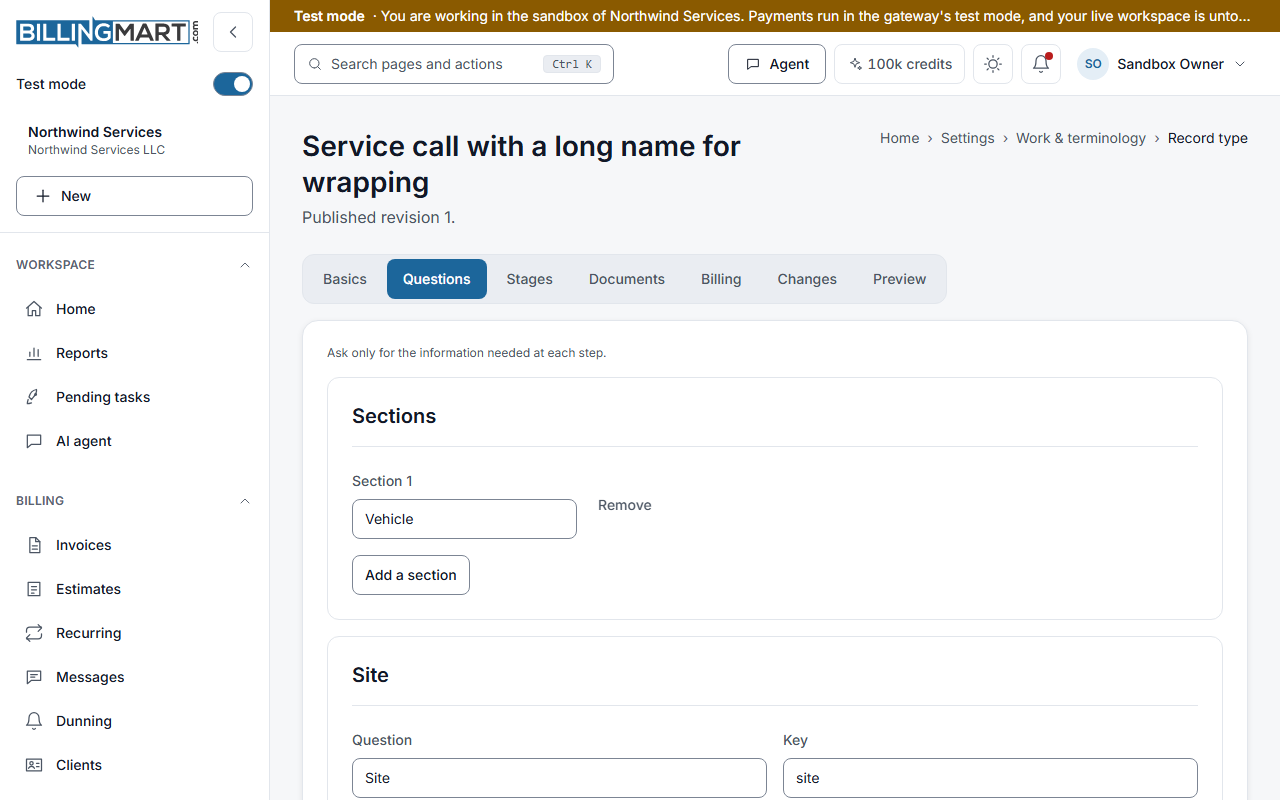
Each record type asks its own questions. A towing Call asks for the vehicle and the pickup address. A law firm's Matter asks for the practice area and the responsible attorney. Owners and admins set the questions on the Questions tab of the type editor, under Settings, then Work & terminology, then Record types.
Answer types
| Answer type | What it holds |
|---|---|
| Short text, Long text | Words |
| Whole number, Number | A number |
| Amount | Money in the record's currency |
| Date, Date and time | A day, or a day and a time |
| Yes / no | One of two |
| One choice, Several choices | Choices you list, one per line |
| Email, Phone, Address | Contact details |
| Client, Vendor | A client or vendor of your business |
| Files | The documents attached to the record |
| Team member | Someone in the business |
A Team member answer is always internal. A client never sees it.
When an answer is required
Required sets the first moment an answer is needed. From then on it stays required.
- Not required. Never needed.
- To save. Needed to save the record.
- To activate. Needed before the record is activated.
- To complete. Needed before the record is completed.
- To bill. Needed before an invoice is made from the record.
Examples from the business types: an Insurance Agency policy needs the Insured, the Policy type and a Signed application file to activate, and the Gross premium to bill. A law firm's Matter needs a Signed engagement letter file to activate. A towing Call needs a Signed authorization file to complete.
Who sees an answer
- Who sees it. Internal only is for your team. Client can see marks an answer the client may be shown.
- Print on the client's copy. Shown for a client question only. The answer prints on invoices made from the record, on the PDF and the payment page. It is copied when the invoice is made or refreshed from the record, and stays as it was once the invoice is sent.
- Sensitivity. Standard or Sensitive. A sensitive answer is never used for search and is never sent in a webhook.
- Searchable. Up to eight questions per type can be searched by their answers. Only short text, long text, number, date and one choice answers can be searched.
On the Billing tab, an answer can be sent to an invoice detail. An internal answer cannot go to a detail that prints on the client's copy. That invoice is refused, with the question named.
Show a question only when another answer matches
Under a question, find Show this question only when and select Add a condition. Choose another question, a test, and a value.
- is and is not compare the answer with the value. For a Several choices question, is means that choice is among the ones picked.
- is empty shows the question while the other one has no answer.
A question can have up to six conditions, and all of them must hold. A condition can only point at a question that has no conditions of its own. A question cannot depend on itself, and a loop of conditions is refused when you save.
A hidden question keeps any answer it already had. While it is hidden, it is never required.
Other settings
- Section. Group questions under headings. A type can have up to eight sections.
- Help. A line shown under the question.
- Key. The question's id. Once the type is published, the key and the answer type are fixed, so older records keep their answers.
- Move up and Move down. Set the order of the form.
- Retire. A published question is retired, not removed. Older records still show its answer. A question that was never published shows Remove instead.
Good to know
- Size of a form. A type can have up to 60 questions, and a choice question up to 50 choices.
- Answers are checked by the server. A wrong choice or a missing required answer is refused with the question named.
- Invoice details are separate. The details on invoices and estimates have their own settings. See Custom fields.
Related articles
- Jobs: record typesWhat a record type holds, and how owners and admins create, duplicate, publish, order, archive and restore types without breaking older records.
- Jobs: what your workspace calls its workWhere the words for your work come from, why Matter and Case can both appear, and how an owner or admin changes them for one business.
- Jobs: who can do whatWhat owners, admins, staff and viewers can do with work records, record types and work settings, how a limit to one business applies, and the API scopes.
- Custom fields on invoices and estimatesAdd your own details, such as a job address or a policy number, to invoices and estimates, and learn which ones print and which block a send.
- Create an invoiceStart a draft, add your customer and line items, and see how BillingMart works out the totals before you send.